MyRepChat is a very popular Business Texting Service from FMG.
GReminders now allows you to send Text/SMS messages via your MyRepChat phone number for both Client Reminders and Bulk Sends.
Connecting MyRepChat
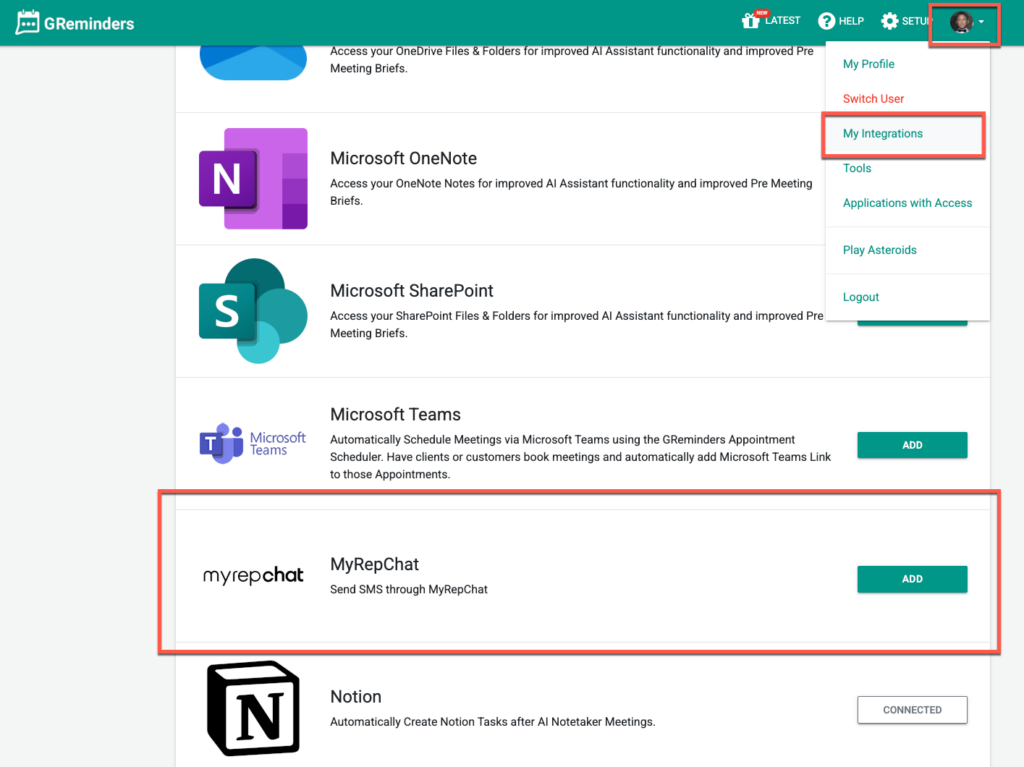
In GReminders go to Profile > My Integrations and click ADD under MyRepChat
Login with your MyRepChat Credentials and approve the integration.
You should now be connected.
Using MyRepChat for Sending SMSs
NOTE: Before GReminders can send SMS reminders to a new phone number, MyRepChat may require the end client to provide consent. If consent has not been previously granted, MyRepChat will send a consent request to the client. Once the client confirms, the SMS notification will be sent.
If the client has already provided consent, the SMS notification will be sent without any additional consent requirements.
Next, Navigate to your Client Reminders
and select the MyRepChat in the “From” dropdown:
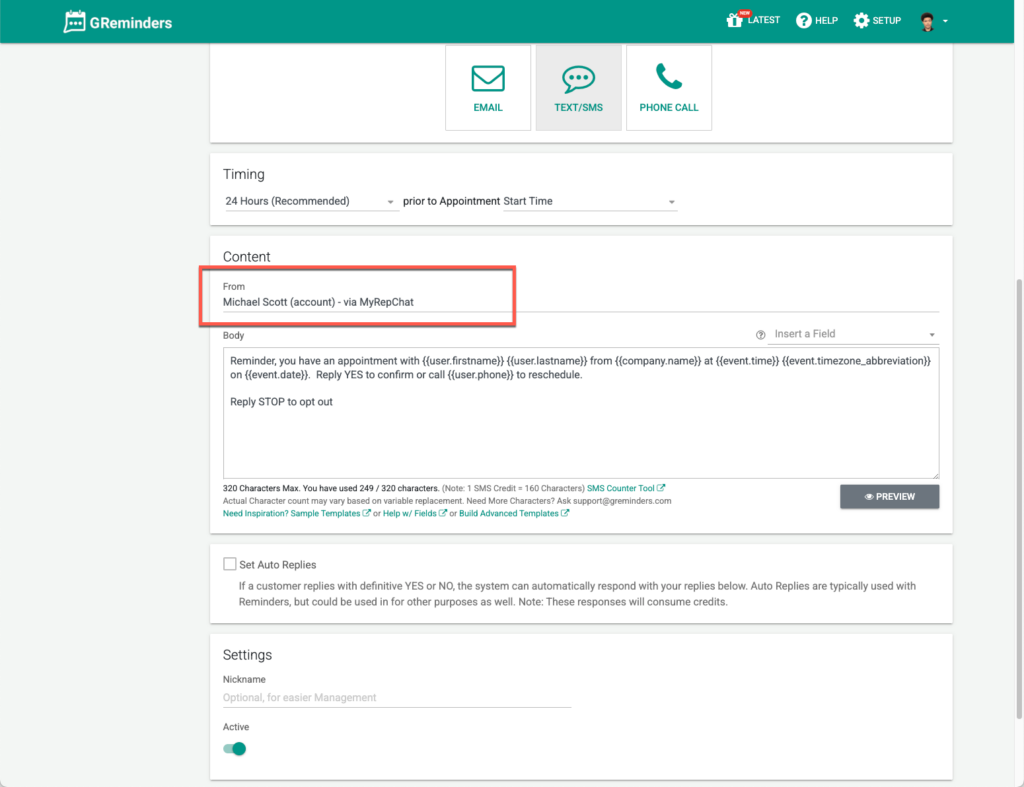
Your reminders will now be sent from your MyRepChat phone number.
Please note: since reminders are now coming from your own number, GReminders does not have visibility into deliveries or replies. Those are handled outside of the system. So you will not see delivery confirmations, or reply confirmations/declines in GReminders. Those will all come to your number.
Also when using your own SMS provider, we recommend using Confirmation Links instead of asking for a Yes/No Reply.
Multiple Users
If you want to use this same connection for multiple GReminders users you can go to Setup > General and select this MyRepChat connection under Shared SMS
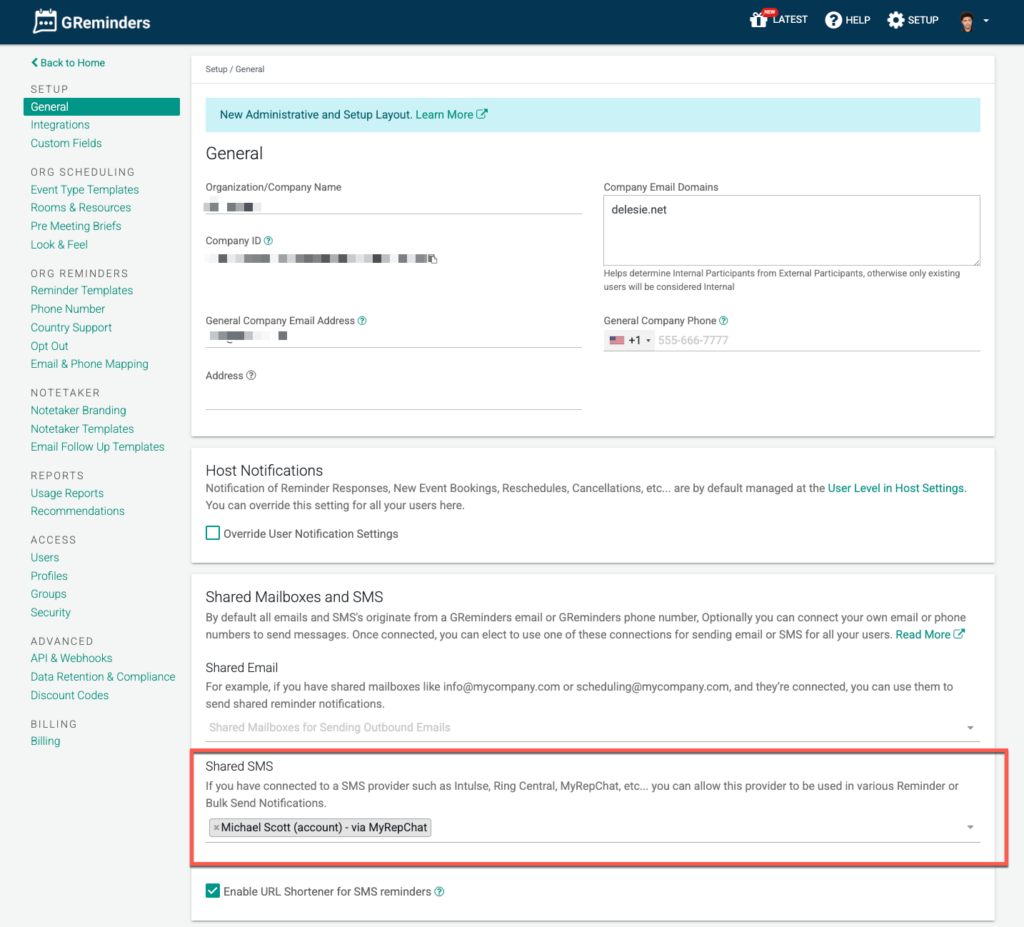
This will surface this same connection under other GReminders User’s “From” settings in their Client Reminders or Bulk Sends.
Sending reminders via MyRepChat will still use your GReminders credits since we are delivering the message to MyRepChat, but it will only use 1 credit regardless of the character count.
If you have any questions please contact [email protected]
Keywords: My Rep Chat, MyRepChat, SMS, Texting
FAQs
How do I integrate MyRepChat with GReminders?
To integrate, go to your MyRepChat Account, navigate to Settings > API Access, generate an API Key and Secret, then enter them in GReminders under Profile > My Integrations.
What is required for GReminders to send SMS reminders from MyRepChat?
The initial disclaimer text from MyRepChat must have been sent to the client, and the client must have consented to receive messages.
Can multiple users use the same MyRepChat connection in GReminders?
Yes, you can select the MyRepChat connection under Shared SMS in Setup > General to allow multiple GReminders users to access it.