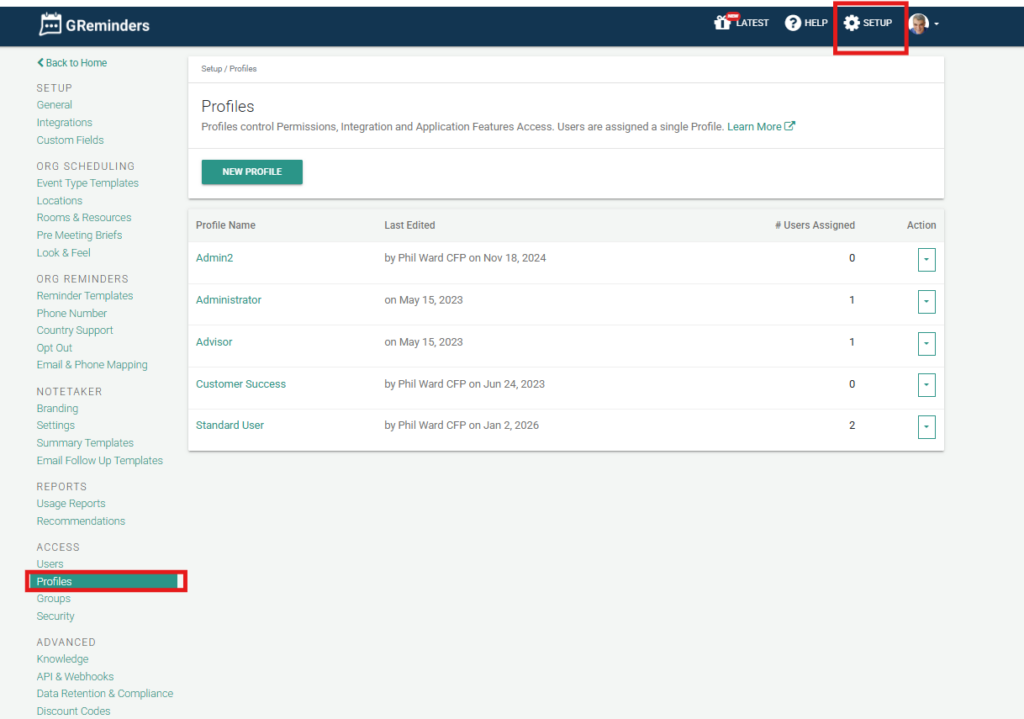
Administrators can set up profiles for the account. This is where permissions and access to features for each profile are determined.
After setting up a profile, they can be assigned to users on the account.
AI Notetaker Permissions
Profiles include permissions that control access to AI Notetaker. These are separate from Notetaker licenses, and the two work together.
- Notetaker Access: Lets users with this profile use AI Notetaker.
- To record (host) meetings, a user needs this permission and a Notetaker license.
- To view recordings without a license, a user needs this permission and must be an admin or have the record shared with them.
- Notetaker Scorecards: Controls who can see Scorecard meeting analytics on Notetaker summaries.
- Delete Notetaker Records: Controls who can delete AI Notetaker recordings. This replaces the org-wide toggle that used to be in Notetaker Settings. Admins can delete recordings by default; standard users can’t.
FAQs
What is the purpose of setting up profiles for an account?
Profiles determine the permissions and access to features for each user on the account.
Who can set up profiles for the account?
Administrators are responsible for setting up profiles for the account.
How are profiles assigned to users?
After setting up a profile, administrators can assign them to users on the account.
Who can delete AI Notetaker recordings?
Users whose profile includes the delete recordings permission. Administrators have it by default; standard users don't.